Showing posts with label amiga. Show all posts

Sunday, 21 February 2021

AMOS Basic on Amiga


In early 1990s, I used STOS Basic on Atari ST for a while, then went over to AMOS on Amiga.

STOS still had line numbers(!) and as far as I remember it did not have procedures. AMOS crammed together a lot of features and resembles Sinclair QL SuperBASIC in some respects.

I was spoiled with AMOS and Basic generally in that just with hitting F1/RUN my program would run in a second. So I've never been especially tolerant towards slow build times.

Blitz Basic helped make more system-friendly code but it was also somewhat trickier to get into.

Installing AMOS Pro with the compiler takes some effort but without the compiler and a hard disk I wouldn't really bother with it. 

Acceleration is very useful too, especially in a setup where a modern PC is used for writing the source and compiling it on a super-fast Amiga emulator. I'll discuss this further below.

Find all the AMOS Pro disks, then the Compiler disk images which has the necessary update/patch. Perform the update on the disk images (couldn't get it to work on an already existing HD install) and then install them to HD.


AMOS basics

The following program opens a 16-colour low resolution screen, removes the cursor and flashing. Then it sets up a few colours and clears the screen.

   Screen Open 0,320,240,16,Lowres
   Curs Off 
   Flash Off 
   Paper 0
   Ink 1
   Pen 1
   Cls 
   Palette 0,$FFF,$F00,$F
   Hide 
   Sprite Update Off 
   Sprite Off
   Print "Hello World!"
   Amos To Front
   Do
      I$=Inkey$
      If i$="q" Then End
   Loop

Using Hide, Sprite Update Off and Sprite Off together is redundant, but goes to show all this variety exists. (Hide simply hides mouse cursor)

Amos to Front brings everything on top. The Compiler can be set to have Amos in the back by default. This way I can be absolutely sure the first thing the executable displays is something I choose, and not the orange AMOS screen with flashing cursor.


Editor and procedures

Compared to modern coding environments, the editor shows relatively few lines. Another problem is that you cannot really split the source into multiple files, so it will easily grow in size. This is something I didn't care about back in the day but I finally have come to see this as valuable.

But at least it's possible to close and open procedures. This means that for a longer program, having most of the code as closed procedures helps keep the source length manageable.

_CIRCLE here is poor use of Procedure

There is some overhead for calling procedures and the compiler can't see a difference between a simple call and a structurally complex one. So, I'd avoid intensively calling procedures. A long FOR loop that calls a procedure to do a minor task can be 2-3 times as slow than one that doesn't.

For example there could be a procedure that draws a screen using 200 tiles, but these individual tiles should not be drawn using procedure calls.

Another editor quirk is the procedure and variable names are always automatically upper-cased. So it's less easy to make any useful distinction between procedures, variables, global variables and "constants" (not that AMOS really has constants).

I've done this: All procedures are preceded with _ and all global variables are indicated with G_ so that for example G_MAXITEMS is a global variable and _CLEARITEMS is a procedure.

Parameters can be passed to procedures between brackets:

    Procedure _ADDITEM[TYPE,X,Y]
        print "I'm adding type ";TYPE
        print "at coordinates ";X;" ";Y
    End Proc

These parameter names are local to the procedure, so I could call another procedure from within this procedure that also uses TYPE, X and Y (integer) variables as parameters. So far so good.

Although there's a neat way to return values from procedures, these parameters are clumsily referred by using PARAM after the procedure call. 

    _ADDITION[2+2]
    print PARAM

    Procedure _ADDITION[X1,Y1]
        RESULT=X1+Y1
    End Proc [RESULT]

So, X=_ADDITION[2+2] is not possible.

POP PROC exits the procedure. POP PROC [RESULT] puts the value in PARAM/PARAM$, otherwise the procedure returns nothing.

In 1990s I mostly used a single global variable like RES to store procedure outputs, and simply avoided using procedure results.

So, although the AMOS procedures elevate the language far above BASICs that don't have them, they are not exactly as powerful as c or Java functions.


Causes and effects

AMOS has quite rigorous syntax for if-endif structures.

I can have the normal BASIC style...

    if FLAG=0 then print "You're Dead!": print "More"

...and...

    if FLAG=0
        print "You're Dead!"
        print "More"
    end if

...is fine too, but...

    if FLAG=0
        if 
FLAG2=0 then print "You're Dead!": print "More"
        if 
FLAG2=1 then print "You're Alive!"
    end if

is illegal, as it combines if-endif and then.

So I have to do:

    if FLAG=0
        if 
FLAG2=0
            print "You're Dead!"
            print "More"
        end if
        if FLAG2=1
            print "You're Alive!"
        end if
    end if

...which is kind of clean but it can be annoying. AND, OR, ELSE and ELSE IF are helpful here, though.


"Cross-developing" AMOS

Above, I complained about the AMOS editor. But there's another way. 

After the AMOS Compiler has been properly installed, it also works from the Amiga CLI. APCmp is the command:

    APCmp source.AMOS INCLIB

INCLIB ensures the outcome is really stand alone and doesn't need an additional library file with the distribution.

Interestingly enough, APCmp can also compile ASCII formatted files, which means I'm not limited to using the AMOS editor. (Sources in AMOS editor are always tokenized).

I'll skip over the idea of using some other Amiga editor for typing the source, and instead use a modern code editor in Linux.

The downside is that the APCmp first tokenizes the ASCII source and then "compiles" the file, and the tokenization phase is what takes a lot of time.

But this is not the end. Although my Raspberry Amibian setup can be too slow for this, it doesn't mean everything is. So, using UAE in my main Linux box, setting the processor/accelerator to Blizzard 1230 IV, the resulting "Amiga" is considerably faster than the Amibian. Then the AMOS tokenization/compilation time will be shrunk to almost nothing for any reasonably sized source.


This means I can edit my AMOS source in sublime-text in Linux and compile with CTRL+B build command. This needs a Makefile/script that combines different separate files in the project folder and dumps the thing over to the UAE Amiga disk image folder. 

Something like this:

    cat *.txt > source.asc
    cp source.asc /path/to/amiga/harddisk/folder/amosstuff/source.asc

So I can have any txt file as part of my source without explicitly defining them in the Makefile or the script. 

Yes, CAT combines the original sources in alphabetic order, so if this approach is taken some care should be taken when naming files. As all the source snippets are filled with procedures, the order doesn't matter that much. 

I can still name a file aaa_main.txt if I want a particular block to come up first. One thing to remember is that global variables need to be declared before they are used.

On Amiga side I still need to run the compiler from CLI, perhaps using a short script that both compiles and runs the program:

    APCmp source.asc INCLIB WB NODEF
    source

I saved this as "build" on the Amiga project folder and then used "execute build" to run it from the CLI.

(INCLIB means the library is integrated with the outcome file. WB puts workbench back on start and NODEF means no default screen will be opened.)

Of course, it is only at this stage it will be revealed if there are errors in the source, and not inside the Linux editor. Also, the line numbers in the errors refer to the source.asc file, but it's not too hard to check that in the Linux side.

AMOS editor is still friendlier about errors and easier for debugging. But the fast speed of the UAE environment means that if the code crashes totally, it doesn't take too long to get back to the command line.

By the way, writing Processing/Java and AMOS in same session can be confusing! AMOS procedure inputs are marked with [ and ], dimensioned arrays with ( ), with Processing it's the exact opposite. With AMOS, you can't have ; at the end of the line, equality checks are = and not == and so on and on.

The subtly dangerous thing with AMOS is that as variables don't have to be declared, I can mistype a variable name and it does not register as an error.

A syntax pre-checker at the Linux end might be helpful. Also, while at it, allow more modern syntax and have procedures converted to GOSUBs or even unrolled, when possible.

So, perhaps goodbye to fiddling with Amiga keymaps and AMOS editor idiosyncrasies? Of course I'll lose that AMOS feeling. Snif.


Hiding AMOS

I already talked some about Amos to Front and hiding the "orange screen" effect that plagued many AMOS programs.

I used to be careful with hiding if a program was written with AMOS. This made sense as often the first impressions are important. If anyone saw it was a BASIC program to begin with, it might get a negative response. Although some might go "wow, was this really made in AMOS?!"


Apart from the orange screen, AMOS programs can be revealed by using Amiga-A to flip back and forth between the program and workbench, or using Control-C to break out. These might not be uncommon key combinations, but together they can be revealing. 

BREAK OFF instruction can remove the latter, and AMOS LOCK disables the Front/Back switching. The counterpart is AMOS UNLOCK. Locking can be unfriendly though, considering the programs seem to multitask nicely enough. Yet if I intend to spread the software on a floppy disk image, it might not matter.

Function AMOS HERE results in true or false. With this it's possible to see if AMOS is currently in the back or not. This way the program might be stopped from using CPU too much, but I've not really tried it.

What remains is that if there is file access, and the device is not present, AMOS compiled programs will open an ugly AMOS-like dialogue box.


System friendly?

Although AMOS programs are self-contained, it's still possible to write shell-runnable programs that don't open a screen at all. The string variable COMMAND LINE$ holds the arguments. AMOS executables tend to be huge, so it's not an ideal way to write tiny commands.

Graphics is a thornier issue. In later days, more modern graphics modes came available and software that didn't play nice with these new modes were frowned on.

But Amiga 500 itself is now increasingly recognized as a retro platform on its own right, despite any newer developments. So it is possible to target the Amiga 500 and care less if the program works on some new-fangled Amiga or not.

Looking at the AMOSPro manual, there are ways to access the Amiga libraries so who knows, it might be able to set a system screen/window.

Some speed considerations

To get some more speed out of AMOS, there are some simple guidelines that can be followed.

I already mentioned the dangers of using procedures in a wrong way. I also noticed GOSUB/RETURN is faster than calling a procedure without parameters. This puts to question whether PROCEDURE should be used so much after all.

Integer variables (1,2,3,4...) should be favored. Floating/real number variables (1.0, 2.0, 3.0, 4.0 ...) are indicated with # so that variables like X# and Y# are floats and X and Y are integers.

If no complex evaluation is needed then Add X,1 should be faster than X=X+1 and Inc X should be faster still.

Adding a variable to another such as Add X,Y does not seem to slow down the computation much.

However, after compilation the difference of these tends to shrink to almost nothing. AmosPro allows compilation+running within the editor environment so comparing non-compiled with compiled sources is quite easy. Set TIMER=0 before your test loop and then print TIMER afterwards.

It can be useful to reduce multiplications and complex equations in a loop.

For example:

    For I=0 to 99
        LOC=BASE+I*32
        if peek(LOC)=1 then Inc A
    Next I

Consider this instead:

    LOC=BASE
    For I=0 to 99
        if peek(LOC)=1 then Inc A
        Add LOC,32
    Next I

Again:

    For Y=0 to 10
        For X=0 to 10
            LOC=BASE+X+Y*40
        Next X
    Next Y

This is faster:

    LOC=BASE
    For Y=0 to 10

        For X=0 to 10
            Inc LOC
        Next X
        Add LOC,29
    Next Y

Also, if a calculation like AD=AD+Y*WID needs to be done a lot, first Z=Y*WID and use Add AD,Z instead. (If Z doesn't need to change)

Unrolling is helpful in BASIC too, and the compiled code also benefits from it. So, instead of the first example:

    LOC=BASE
    For I=0 to 49
        if peek(LOC)=1 then Inc A
        Add LOC,32
        if peek(LOC)=1 then Inc A
        Add LOC,32
    Next I


AMOS and machine code

Writing 68000 machine code is not super-hard in itself, but on a complex 16-bit computer and OS like the Amiga it's a chore to get something visibly up and running.

I've used AMOS as a frame to which I can add some machine code at speed-critical points.

Just to prove it works:

   Reserve As Data 10,65536
   Doke start(10),$4E75
   Call start(10)

The machine code routine is called from the start of the bank 10, where I have reserved 64K of memory.

Then I have used doke (16-bit length POKE) to write the value that corresponds with RTS so the only thing the routine does is come back to AMOS.

This is a very silly way to insert 16-bit code. It is better to load in an output binary from an assembler:

   Reserve As Data 10,65536
   Bload "output.bin",start(10)
   Call start(10)

Assuming the binary is less than 64K long.

As the start address can be where ever AMOS has reserved the memory area, the code has to be relocatable. This isn't a huge deal, for example vasmm68k knows to produce relocatable and optimized code just as long the ORG/* statement is left out. 

Vasmm does a lot to ensure the code is relocatable, but the programmer still has to know some things. For example, it's not possible to move a label address directly to a d-register. It's possible to do move.l #label,a0 because the compiler changes it to lea, but this has no counterpart for d-registers. (Edit: This explanation is not correct, the move instructions have (pc) relative addressing modes just as lea does, it's just that in practice the compiler allowed the use of LEA without explicitly stating a relative addressing mode.)

Register values can be set from AMOS using areg(n) and dreg(n), corresponding with the a and d registers of the 68000. The dreg 0-7 can be freely used whereas a-register 0-3 are available. 

This isn't a limitation, for example areg(0) could point to a start address of a memory area that contains a large table of values you want to use from machine code. Or, the table is inside the assembly binary in a reliable location you can access from AMOS.

To give some clarity the start addresses can be variables. E.g. G_REFRESH=Start(10): Call G_REFRESH

I stored a calculation result in a variable that was apparently in 0-255 byte boundary but became something else in the assembler. I learned AMOS had signed the variable during the process. This helped get rid of the sign:

    If A<128 then A=A AND $7F: Areg(0)=A

This means that even if AMOS prints the variable content as 84, it might be internally something else. It's possible the transition using areg(0) is buggy, or I have not understood something. If the variable is directly set as A=84: Areg(0)=A there's no trouble.

Phybase(bitmap#) and Logbase(bitmap#) are AMOS variables that have the addresses of the current screen bitmaps. If double buffer is on, then Phybase will point to the start of the visible screen and logbase to the "logical", the hidden screen. Screen Swap will change these addresses.

So if you use areg(0)=phybase(0) you can transmit the start of the screen bitmap 0 over to the machine code, for custom graphics routines.

There are a few ways an Amiga can set up a bitmap screen. AMOS reserves screens bitmaps with one bitmap after another and apparently you can't tell AMOS to do otherwise. (The other way would be to store bitmaps so that all bitmap lines follow each other.)

In my experience, drawing grids of 16x16 (or 8x8) tiles with 68K is considerably faster than AMOS at the same job with a PASTE BLOCK loop. This helps a lot in purely tile-based screens.

Something I've been working on...

Other than that I don't know if it's wise to try write faster graphics routines than AMOS already does.

As an aside, I found out the hard way there is a difference between how 68000 and 68020 can handle some operations. It's better to have any word-size (move.w) operations on word-aligned addresses, (e.g 0xdf000 is okay, but not 0xdf001). 

Even if 68020 doesn't crash on these, the plain 68000 does. I spent some time wondering why particular code did work on the WB3.1 68020 emulator environment but not on the real A500, thinking I'd run out of memory or did some other cock-up.

Obviously byte-size operations (move.b) are fine on any kind of addresses. It's just that when possible, moving words and long words is much more effective.

Sunday, 14 February 2021

Amibian Amiga system

After installing Amibian on the Raspberry Pi, I wanted to go forward and try a hard disk install.

I'm using the folders on the memory stick as hard drives. This has the downside that certain characters in filenames are not accepted. ("espaƱol")

But I can throw in files directly and even through ethernet, so I can ditch the idea of translating files from/to adf images. And although the memory stick isn't especially fast, it is still fairly rapid as an Amiga hard disk. 


Some Workbench re-learning was in order. Firstly I remove the visually throttling main window, by checking "Backdrop" from the Workbench menu.

Instead of dragging an icon to the desk (which looks ok but is non-permanent) the icons have to be treated with "Leave Out" from the Icons menu, which doesn't sound that intuitive.

For the cheap TV, I adjusted Workbench to fit a 640x240 resolution instead of 640x256. Strangely, although the panel should be 768-high, implying a 256-high Amiga screen with no interference pattern, I can only have 240 with no interference. Well, enough of that TV. Many programs play nice with this Workbench setting.

Directory Opus is a great help in arranging folders, moving files and creating icons for software.

I've probably looked at this and CLI more than the actual Workbench

Yes, every file needs that .info file in order to be visible in the WB environment. Folders (drawers, directories) can also display the "real" files as a list.

I was pleased to see that media files can launch apps, for example IFF images saved in Dpaint will again open in DPaint by clicking their icons. 

But it's not possible to globally link file extensions to particular applications. Also, Dpaint doesn't seem to remember the folder from which the file was loaded from.

We reached peak Deluxe Paint in 1988

File transfers

The un-wisdom of constantly rewriting on an USB stick is not lost on me, and I intend to make enough backups in case it eventually breaks. It also helps to have multiple images if the Workbench setup becomes broken. Fortunately, by today's standards an entire Amiga hard drive install with software is not very huge.

As the ethernet is connected and running, I can use the scp command to transfer files over to the Raspberry filesystem, to /media/usb0/System/ or how ever it might be represented there. It's useful to share the ssh keys between the computers before this, so the transfers don't get bogged down by permission requirements.

Default login and password for Amibian is root/1234. Scp is also a good way to make the drive backups.

Copying over ssh can be done even when the emulation is on, but I have tried to avoid doing this, especially on the System drive. The Workbench/AmigaDOS probably doesn't do a lot actively but it's better to be safe than sorry. Maybe a completely separate "hard disk" should be set up for the file transfers.

Troubleshooting

At one point I started to get this alert during boot:

"Intuition is attempting to reset the Workbench screen. Please close all windows, except drawers."

This was annoying and slowed the boot just a tiny amount.

After some Googling I found out the error message emerges from a step in startup-sequence that launches iPrefs. The thing is, if there is text output before the iPrefs it will produce this alert. This may be one reason why all the startup-sequence commands have their output to >NIL:


Looking at the boot more closely it was easy to see the error messages in the vein of "Monitors/PAL.info.uaem: file is not executable" 

The .uaem files are not part of the Amiga system, but are generated by the UAE (The U#? Amiga Emulator) These files begin to crowd the file system and this experience shows they can actually cause some harm! 

The Amibian likely doesn't produce them, but as I built the install using UAE on Linux they probably came out from that.

So in UAE a file might not only have an .info, but both the file and the .info will have an .uaem too. To represent one item there might be four files which is ridiculous.

Removing the .uaem files from devs:Monitors/ removed the error message.


Modern or not

Time has passed and a lot of desktop conventions have become widely accepted. I was seeking a balance between the "original Amiga experience" and looking for some modest ways to update it.

Back in the day only few of the most used apps were placed as icons on the desktop. I now felt compelled to put as many apps as desktop icons as possible. Furthermore, I put them in a neat line at the bottom of the screen, like the icon strip in Mac OS and others. 

...which is strange as I don't use an app launcher in Linux either, but it does have that handy menu.

While I wouldn't want any additional launcher to clutter the WB experience (a few must exist), at least this could be done.

Workbench Storage disk should have storage/keymaps with different country keymap files. These are then copied to devs:keymaps. After this the desired keymap can be selected in prefs/input.


The Swedish keymap was only a partial solution and I especially kept missing the [ ] characters which are in a silly place to begin with in that keymap. So I have persisted with the "wrong" US keymap.

Although the Blackstorm keyboard I've used is a nice counterpart to the black box and TV, it doesn't have function keys or a numeric keypad.

Even if I had all the keys in correct places, it's not all going to be like 2021.

One widespread agreement is now that Control-C is Copy, Control-X is Cut, Control-V is Paste and Control-Z is undo. Old Amiga software is inconsistent about what keyboard shortcuts to use. And whether to use Control-key or the Amiga-key as the base? How universal is the clipboard?

The shortcuts are likely partly inspired by Unix and partly an own convention. There are mixtures, like the menu item saying "Save" but the shortcut is Amiga+W(for Write).


Even if some programs allow adjusting shortcut keys, it might not work 100%. In AMOSPro editor I could change them but Control-C was out of bounds as it is the "break" key.

While I feel for "u key as undo" (as in Deluxe Paint) I have to agree having undo together with C/X/V cluster makes sense.

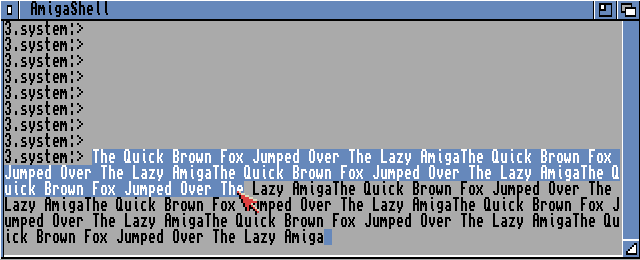
A minor grievance is that text generally cannot be marked with a single drag, but has to be double-clicked at first. The Amiga Shell (CLI) actually has a more modern single drag "paint selection" but the other programs haven't all caught on. 

You use Right Amiga+C and V to copy/paste in Workbench. It does work across software, but apparently not in smaller text entry boxes.

Mouse wheels were not really a thing in Amiga's heyday, but now I feel it is indispensable. There's a software called FreeWheel that enables the wheel in Workbench applications, but sadly I only got it working in UAE on Linux, not on Amibian. Possibly the Amibian mouse routines are very minimal.


I actually now like the ubiquitous Amiga top-down, pull-down menus. Nowadays operating systems try to abolish menus, or offer different ways to present the same idea. The rigid pull-down menus don't work that well on touch screens.

The idea of moving the entire screen from the menubar now feels quirky and idiosyncratic, but there are situations where it feels right. It is a suitably disciplined and fast way to have a peek at another program. on a system where many programs wouldn't fit on the same screen anyway. Whether it is better than simply switching between screens or workspaces, I am not so sure.

"Open recent file" function is not a given even now, but appears to be non-existent on Amiga.

Some thoughts

In my memory a real Amiga Workbench on hard disk was a shaky proposition at best, but now it felt surprisingly robust. I can use and multitask nostalgic favorites like Deluxe Paint, Directory Opus, Protracker, AMOS, Asmone and it doesn't come crashing down every 30 minutes.

I know I could have explored different display mode emulations and perhaps get more colours and resolution out of Workbench, but at least for now I'm satisfied with the 4-colours 640x240 mode.

I actually enjoyed, at least up to a point, the need of manual tweaking here and there, having to move and confirm window and icon positions by hand. 


Sometimes I half forget it's not a real Amiga. Even if I accept it's not very genuine it can work as a dry run in the case I eventually have an SD-card equipped, turbo-charged Amiga. I think I could use the hard drive images in a real Amiga too, at least if it has the correct Kickstart. Not that I'm very eager to have such a huge lump of old electronics any more.

I was surprised how smooth Amibian has been with games. But already using Hippoplayer caused some hippo-hiccups. So, although the Amibian setup is well geared for playing floppy games, trying to keep exact time while in Workbench and other environments might be less successful.

Now that I mentioned it, AMOS used to be a huge part of my Amiga experience and I'll likely come back to that on another blog post. I went through the process of installing AMOSpro and the compiler.

Thursday, 21 January 2021

Raspberry Pi Case for Amibian

This looks like a year for the Raspberry. Or the Amiga. Or both.

I already told of my experiences in using Pi/Amibian with a new-found cheap TV (see last post). Although the picture is not the most satisfying, I'm going forward with it. 

First, a look at the Raspberry Pi case. Another time I will make a few notes about the Amiga Workbench/Amibian install itself, which is already up and running.

Obviously I can use the case as a Raspbian computer too by just switching the SD card, but the Amiga emulation was strongly behind this idea.

The Case

Already a couple of years ago I salvaged a very cheap digi-TV tuner, because the case looked like it could be used in a project. I now thought it would pair nicely with the TV, so I finally drilled and cut holes to make the Raspberry Pi fit.


The Raspberry is annoying in how the connectors all point to different directions. This was slightly improved with Pi 2 but there are still three important directions: Power/Display, SD card and the USB/Ethernet.

With an ancient Targus USB-hub, which I also used with this old wooden casing project, at least the USB ports can be redirected elsewhere.

So I only need address two sides and the Raspberry can be placed in the corner.


I had considered putting the memory stick inside the case as an "internal hard drive". However I use the same stick in the real Amiga 500 Gotek drive, so I need to be able to move it quickly. 

Although the USB hub has four outputs, one of them points in the opposite direction. After a mouse, keyboard and a memory stick, there's no room for a joystick. I found a very short extension cable which helped me get the fourth port out. It's perhaps good one of the ports is not part of the hub.

The single USB cable was more difficult to attach than the hub. The USB connector has those flaps which means it can't be simply pushed through the hole it is meant to occupy. The flaps also help keep it in place so they should not be removed either.

I made a rough test with two chipboard pieces in a wide "U" shape. The "U" shapes interlock and keep the connector from being pushed in.  I was afterwards happy enough with the solution so I didn't try to improve it for now.


Three layers would be better as two can't keep the connector from wobbling. 

The small existing rounded opening marked "12V" could be a better place for this connector, but I wanted to try this in the most spacious location. 

Looking from the outside, it also gives an idea how the other ports might be cleaned up.

The material of the backside was pleasant and clean to drill and cut, which shouldn't be a surprise as it is clearly meant to be cut into different configurations. It looks as if the "decoder" hole wasn't very accurately cut to begin with.

A nice change after all those wood and chipboard projects.


One more woe is the minimal micro-SD card, and even now it's not protruding more than 1mm. I don't have a clear picture to show here, but the Raspberry is positioned so that the card comes out just below the metal cover edge.

I don't really need to remove the card that often as the emulator files are on the removable USB stick. I can use tweezers to pull the card out if I want to.


To have a better access to the network connector I used a short extension. Again something I did with that old wooden case.

The RJ45 "gender changer" is plastic so I made a groove around it and inserted it without any additional fasteners or screws.


I recently learned the Raspberry Pi 3 does have an internal wireless network adapter, but this felt more secure than trying to build an antenna.

Time to put it all together. What's nice about this box is the metal cover can be fit into place without screws really, but I can also use two hand-rotatable computer case screws.


So, that's it. The front side of the case is not very impressive, as it is a TV tuner box after all, but at least this time I didn't start the project with designing a front panel. Perhaps badges and stickers here...

The buttons at the front do nothing and could be hidden.

As I said, different types of Raspberry installs could be used here, and not just the Amibian, so I may need to consider this angle too.

Sunday, 3 January 2021

Amibian

Let's have a look at the Amibian Amiga emulator on Raspberry Pi 3.

First I used Etcher to write the .img to the Micro SD card.

First time boot, exit the emulator config screen ("Quit"), use raspiconfig and find the option for extending the SD card filesystem. (It might not be on the first page of menu items). Then Finish and prepare to reboot.


It takes a few seconds to get to the config screen. F12 switches between the config and the emulation.

It's also possible to again Quit to the linux command line and examine the folders and change the various settings. There you can update the system, too. The command line parts have simple assistive menus so I'd think less advanced users might find what they want.

In the graphical config menu again, if the Amiga files are on a separate USB stick, navigate to /media/usb0 to get there.

You can select ROMs (e.g. kick13.rom) from anywhere, but at amibian/amiga_files/kickstarts they will be convenient. 

To get your system to boot as directly as possible to the Amiga Kickstart, quit the config, use "Emulators setup", "emulator config" and "uaeconf1" to select for example config 1 as the one that starts automatically. You can also use the uaeconf1 directly without resorting to the menus. From the graphic config untick "show GUI on startup" at Miscellaneous tab. 

To change or creatively remove the Amibian logo from boot, change the contents at amibian/boot_pictures/

As the linux shell background has been set as blue, it will flash in sight during the boot sequence. This was mildly annoying.

This can be changed by editing the file called .profile (e.g. nano .profile) at the home directory (the one you land at after Quitting the config). Change the "background blue" into "background black", so the boot process looks less aggressive. In theory you could set the font to black too but this isn't very practical as the shell is needed!


Composite video

I was curious about how well the Amibian would show composite video.

This is not an entirely minor point as many modern computer monitors won't do 50hz, but the 1084S does and it's also a period-authentic display.


Using the Raspberry Pi video splitter cable, the tiny audio/video connector can be divided into RCA Composite video and stereo audio.

Changing the config.txt on the Raspberry partition enables composite video output. 

sdtv=2 gives interlace and sdtv=18 enables progressive scan. 

There's an option that enforces HDMI even if no HDMI cable is connected, so this has to be commented out too.

I have to say Amibian appears not to be as sophisticated with video options as the recent BMC64. I will easily get pattern artefacts at least with 1084S. Adjusting the overscan settings in config.txt did not help. 

This may not be a big deal in many games, but it is obvious when making horizontal lines in Deluxe Paint.


How about screen refresh? Trying some games (Battle Squadron, Rodland, Giana Sisters) the screen sync was fine, but the demo Enigma by Phenomena started revealing hiccups in the screen update and there were some graphics glitches too.

This has nothing to do with the composite, as HDMI showed the same effects. But the glitches might also result from incorrect Amiga settings rather than the Amibian as such. 

It's also possible the Raspberry just can't emulate it all fast enough when it comes to more Amiga-specific bitmap and screen handling.


But, arguably the refresh rate was generally more stable than the 50 adapted to 60 on UAE on my Linux+computer monitor. The demo didn't have the glitches on Linux emulation so the adf is unlikely to be corrupt.


HDMI

Less of a purist can go with HDMI and it might be easier on the eyes.

You can't get audio from the composite/audio connector while the HDMI is connected, so you need to depend on your HDMI to deliver that, too. I had a HDMI->VGA/Audio splitter which separated the audio output to a mixer as my display doesn't have speakers (or HDMI for that matter).


A television does better than a computer display, as it is more likely to do 50hz and playback the audio through the HDMI.

My poor ears could not notice any particular audio problems. Of course with headphones the Amiga stereo separation can be unbearable, but as I had the sound go through a mixer anyway I could adjust the situation.


Other considerations

Trying Frontier: Elite II with an anomalous setting of an A500 with "Fastest" speed (I guess the maximum) the game plays quite smoothly. It can still choke on very high detail. The speed can be changed on the fly, and making an eyeball judgment here the "fastest" speed looks like at least twice as fast as the 25mhz setting and the launch from Ross 154 with high detail is quite smooth.

So from this I'd judge there is enough raw power in the Raspberry 3 to run an Amiga, it's just that there are some features it can't pull off that easily, and these can be more apparent in scenedemos. I didn't test a lot of software though.

I experienced keyboard problems when typing, but this meant I had to remove the keyboard from the joystick emulation. After that the keyboard worked ok for AMOS Professional :)


The Logitech Gamepad F310 was recognized easily and worked fine. The config menus can be operated with the gamepad. Putting "Enter GUI" to the start button enabled me to reach the config from the joypad, however the function actually went to the left shoulder button. So a lot can be done without a keyboard if you have set things up cleverly enough.

I would have liked to connect a real Amiga keyboard to the GPIO or at least a joystick. The keyboard would probably require far more work than the Commodore 64 solution.

Edit: I could use the USB wanna-be Competition Pro joystick that came with THE C64 to give some more "authenticity". With Stunt Car Racer it felt better than a modern gamepad.

When connected to HDMI, it's hard to see an advantage or difference compared to having UAE on your main computer, for example running on a second screen. It's of course nice to see the Raspberry is so capable.

With composite video, the nostalgia factor is higher but the video options couldn't get rid of the horizontal line artefacts and it's possible a proper Amiga screen just can't be achieved in all situations.

The best use situation is with a HDMI 50hz television.

Amibian from here:

https://gunkrist79.wixsite.com/amibian

Thursday, 27 August 2020

Book: The Future was Here

I finally managed to read Jimmy Maher's The Future was Here from 2012.

Before the Amiga 500 models hit shelves, Amiga really had a rather vague existence somewhere at the horizon of my experience. One of those computers that might be cool but would never ever be relevant to me, perhaps even a bit boring. The comparatively high-brow images of Botticelli's Venus and even the King Tut image were not very alluring to a 10-year old.
Probably my first impression of an Amiga, MikroBITTI magazine 9/1986. Bleurgh boring adult computer.
It's fascinating to read about the birth of the Amiga and the early handling of the platform by Commodore. When I finally saw an Amiga at the end of 1980s, things like the boing! demo were already ancient history and not that well known to a casual newbie like me in Europe.

I was also surprised to learn that the Commodore-bashing from Amiga owners did not start in the 1990s, but was almost inherent to the platform from the very beginning, including the logo debacle and poor marketing.

As the book points out, the North American Amiga experience was quite different to the European game- and demo-oriented culture, and the two overlapped very little. In the US, computer industry stalwarts, Unix alumni, scientists, professional artists, Fred Fish, adult people, flocked around the platform in the mid-1980s, eager for a revolution that seemed just around the corner, but also abandoning the platform at a point when it looked the promises failed to materialize.

Sorry it's a bit flat.
I hadn't figured the boing! and Juggler demos had such a large impact on the audiences at the time. The bouncing ball was even more "fake" than I had presumed, not a single pixel is drawn during the animation.

Maher suspects part of the reputation here was that people thought it did something it really didn't. He further points out the value of the demo is in the ingenuity of making the computer do what it was good at doing.

Today it might make a quirky, endearing GIF.
Juggler demo was more transparent in what it did, because obviously the Amiga could not do real-time ray-tracing. But that the animation frames were produced on an Amiga at all, was already a huge achievement and paved way for a kind of cottage industry of 3D and ray-tracing applications. The use of the 4096-color HAM mode and animation itself proved inspiring, regardless of the raytracing.

The portion opening up the Juggler and boing! was an insightful read and I hadn't really understood their appeal in these terms.

Although the author doesn't say it directly, one possible reason why early Amiga demoscene demos had lot of spheres and checkerboard patterns, could be because of these two "industry" demos.

Vectorballs from Dual Crew, 1990.
They might also be quite obvious choices. You need a very generic small, simple object that can move anywhere? It's a ball. What's a non-expensive yet somewhat complex background that works well to bitmap graphics? A checkerboard.

In any case, the Juggler was sometimes explicitly referred in early scene demos, such as in the Vectorballs demo from Dual Crew (and the Red Sector Megademo and the Cebit'90 demo and others.)


The Heyday

The paint program Deluxe Paint enjoyed a kind of "killer app" status, and the Amiga was long bundled with a version of DP. The author makes a neat analogy that Macpaint was a drawing program whereas Deluxe Paint was a painting program, demonstrating that a line can be drawn (cough) from the platform characteristics and the respective company cultures to the final product.

Yes, as a "platform study" book the author shows routes from Amiga's hardware design decisions to the software and use cases. The object under study is best understood as "emergent". Software such as Deluxe Paint or Sculpt-3D is not a determinist result of the platform's technical features, but part of a kind of sub-cultural wave that grows layer upon layer on that initial technical seed.

Deluxe Paint III
The platform's journey has early software milestones such as the boing! and Juggler Demo, but the culture of Commodore and essentially its "fanboys" will carry it onwards. Deluxe Paint and Protracker were in turn hugely important for the game- and demoscene culture that came after.

Amiga's important niche as a video authoring tool is also examined. This was also something very much in the far periphery for me back in the day. NewTek's Video Toaster was more of a new computer on top of Amiga than just an add-on. Its achievements barely fall into Amiga's basket, unless taking into account the aforementioned view of a 'cultural wave' emerging from and surrounding the Amiga.

Looking the Amiga's role in semi-professional and even professional video editing circles, Amiga's significance in this area is very much tied to the analog video era, very different from 2020s internet digital video ubiquity. The flickering interlaced high resolution output was a bane for traditional computer users but a boon within the video circles. The value of genloc, the logical mixing of computer image with input video, could also be puzzling unless factoring in the reigning analog video format.

Protracker 2.3D. Ok, this is a clone version.
The Amiga demoscene gets a looksie, using TRSI's Megademo and Spaceballs' State of the Art as opposing poles to represent the scene's technical achievement on one hand and dedicated audiovisual tinkering on the other. The standard story of the scene emerging from crack intros is told. The outcome (echoing one Viznut!) is that the scene should be examined in its own rather than shoehorning it into pre-existing categories of 'free software hackerism', 'art' or 'youth subculture', despite having some characteristics of all these.

Discussing games, the author takes an interesting standpoint that Amiga could be seen as a forerunner of today's casual games, citing Defender of the Crown and Lemmings as prime examples. Amiga is also a platform where a visually story-heavy game started to come into its own, in contrast to earlier video games that were more reaction- and rule-oriented.


The End

The author generally balances praise with critical tones. But perhaps the one area where Amiga's myth is more openly torn apart, is the multitasking operating system. Although Amiga's OS and the Workbench were landmark systems, there was also a crucial lack of memory management and the experience was hardly as friendly as the surface made it appear to be.

Workbench often needed the kind of tinkering that user of a simpler Mac or ST might never need to see. Also, some of the Amiga's innovative features would not survive a second in our security-obsessed world.

Maher argues that at least part of Amiga's downfall was hard-coded into its, despite all, somewhat shortsighted and complex design. The inventive approach that combined cheap parts for vastly more than the sum of those parts in 1985, was not as conducive to upgrading as were the more straightforward IBM PC clone components.

I'd still like to think that none of the 1980s home computers really got proper upgrades, and in this race Amiga fared a bit better than most.

Overall, Maher's Future Was Here gives a convincing case that Amiga was the first true multimedia computer, a forerunner for many desktop computer use trends that are now incredibly commonplace: creation and distribution of music, images, animations, demos, photographs, videos and much more.

To point out Amiga was not a harbinger of the mobile internet cultures of today is to miss the point. Sharing and consuming of Amiga-originated creations might have happened in the loosely-knit network of Bulletin Board Systems or the even slower network of mailed physical floppy disks. But shared they would be. Criticism and response could likewise be found in the diskmags and scrolltexts of the era.

The "I'll show mine" attitude prevalent in today's internet is already very much in evidence in the Amiga subcultures. These days, one's exploration of a musician- or visual artistship may just as well begin on a computer as on a so-called traditional medium. Amiga was the first computer to make that genuinely possible.

Saturday, 3 March 2018

Amiga 500


Ah, the Amiga. What can I say? Amiga 1000 may have been the first, but it's the relatively affordable Amiga 500 that won over people's hearts in the late 1980s and early 1990s.

Yes, it's easy to get emotional about the Amiga. Somehow it was possible just to stick in floppies, play games, watch demos, draw with Deluxe Paint, and not care too much about the world. With A500, Workbench appeared great but unnecessary, Amiga BASIC was laughable, Assembler simply could not be learned by mortals.

The software sometimes crashed too easily, with that immortal line "Guru Meditation - Software Failure". But you could play minesweeper while your file downloaded from a BBS. There was a speech synthesizer that could be made to utter truths about your brothers. A clockface that could be displayed while there was another window open. Directory Opus. CygnusEd. Multitasking.

Amiga was the games machine. Interceptor, Time Bandit, Pandora, Wild Streets, Sky Chase, Firepower, Sword of Sodan, Cosmic Pirate. Crazy PD games like the Egyptian RunZerg and Top Hat Willy. Workbench games, Unix conversions, PC conversions, 8-bit conversions.

I hope he got that extra ram.
It's been said the demoscene was properly born on Amiga. But from the periphery, we'd happily watch any old presentation in early 1990s, whether from "legit" sceners or not. Gaudy copper bars, spherical bobs, wireframe vector graphics, ripped game graphics, glenz vectors, silvery metallic logos, tracked music with Italo disco samples, Garfield scans co-existing with Kraftwerk, Jean-Michel Jarre, Axel F, Miami Vice theme, Acid House, digitized Star Trek, copies or tributes of Larry Elmore, Hajime Sorayama and Boris Vallejo.

Long sinewave scrollers, multiple scrollers, circular scrollers, stretching scrollers, unreadable scrollers, copper-colored scrollers, endless scrollers, vector scrollers, star wars scrollers, scrollers that start with "yyeeaaaoooooaaaahh!!!", scrollers with accusations of lamery and calling your arch-enemy a "faggot" (an unfortunate aspect of the early demoscene).

Time's not been kind, but at the time it was better than TV.
Megalo from Wild Copper, and the Deathstar Megademo were some of the earliest material I saw. For me the first demo that showed some kind of consistent styling was Universal Pictures from Unique. Clearly it's not aged that well, and neither has that Miami Vice remix from HCC.

As the 1990s progressed, I learned about demoparties (but did not attend), Scoopex: Mental Hangover, Enigma from Phenomena, Spaceballs: State of the Art and 9 Fingers, 242, Kefrens: Desert Dream and so on and on, and although it was all very grand something had already vanished. Suddenly it was all techno/breakbeat/funk and "design" and by the way aren't the best demos always something you had seen back in the day?

Naturally, with blitter filling.
Having an Amiga was like enrolling into a media school: I'd learn first hand about graphic design, composing music, sampling sounds, creating animations, 3D-modelling, programming. AMOS Basic teached me something about planning larger programs and writing games but maybe also prevented from learning other languages sooner. I tried my hand in assembler but could only write small subroutines to support the BASIC code.

Emulation really started with Amiga and emulators like ZXAM showed that simpler computers like the ZX Spectrum could run games, although you'd need A1200 speeds to do that. Many hours were spent with revisiting ZX Spectrum classics and also the ones I thought I'd never see in my life.

Many times seeing this, too
I'm wondering if the later developments did Amiga much good. Sure it was great to have a hard disk and a faster processor, but PC envy started to hit hard, and the main concern now was trying to better the PC in its own game.

PC games like Ultima Underworld and Falcon 3.0 were pretty worrying, but especially Doom seemed like a watershed moment, Amiga had lost the (bouncing) ball. At the same time console games appeared to do that other thing better, too. Doom was eventually ported to Amiga, but then 3D cards entered the scene and eventually homogenized graphics across all platforms.

Yes, a TRS-80 conversion. Why not?
And that brings me to a difficult point. Although one hears rumors of Amiga's comeback over the years, something about the idea of an Amiga revival seems a bit off. Can the new Amiga now do WWW properly? Javascript and HTML5? Can it play HD video? Can you plug a GPU to it? Can you stick USB devices to it? If not, then it's too off mainstream to gain any real traction. If yes, then it would be similar to any current computer.

Perhaps a well thought-out decidedly hobbyist computer built around a specific genealogy of a GPU might represent an "Amiga" these days but don't expect many to buy it.

Thinking it now, the Amiga happened in such a short time. Generously, one could say the overall Amiga phenomenon was relevant for about a decade. But that intense time with the A500, a few summers, really. Maybe it really does get emotional here.

Tuesday, 6 June 2017

Amiga Workbench icons on Linux desktop

It started with setting my Linux Mint/Mate desktop background to what supposedly was the original Workbench blue background color (#0050A0)...

Fast forward a year or so. Then I got around to thinking whether there is an Amiga Topaz truetype font, and of course there is. I also grabbed some Workbench icon graphics for the folders and such.


However, the normally scaled Topaz 8x8 font did not give the kind of 640 x 256 feel I was after. The 8x8 font is not inauthentic as such, of course the font would look like that in a high resolution desk.

But I kept looking and I found one version that had the Topaz font stretched to 8x16 proportions.

I found the icons from various sources on the net. Google image search yielded surprisingly few images of the old WB. I have so far combined elements from 1.2 and 1.3, as the latter has some more interesting icons but overall I prefer the 1.2 approach with the flat drawers and clean trashcan.

I could have taken a hard drive icon too, but it looked a bit ugly so I stuck with the disks.

Yes, to me every later WB looks worse. Got to appreciate those bold color choices in the 1980s interfaces...

I grabbed the icons using GIMP, and gave them a transparent background. The blue color is also transparency, so the desktop background would affect the icon colors as it would in the original Amiga.

Here's a snippet of my Linux Mint/Mate desktop:


I've been a bit "creative" about where to use whatever kind of icon. Obviously CLI takes me to the terminal and Notepad to the default text editor, but the telephone icon was originally for "Serial". Here it has been appropriated for the Internet browser.

With the legendary "Say" icon, I hesitated to assign it to the Screenreader, even though it would be appropriate. But as it is not something I would ever use, I assigned it to Skype. It would have made more sense to use the Telephone icon for Skype, but then what would I used the Say icon for?

It's a bit sad the icons have to be manually resized, for example copy-pasting a folder does not replicate the size. Apparently it's not easy (read:there's no tickbox for it in the prefs) to get rid of the font shadow on the desktop, so I left it as it is.

I only let this craziness take over the desktop. Changing the folder interiors, menu bars, terminal fonts, the pointer and the windows overall might be possible, but it could hamper the overall experience a bit too much.