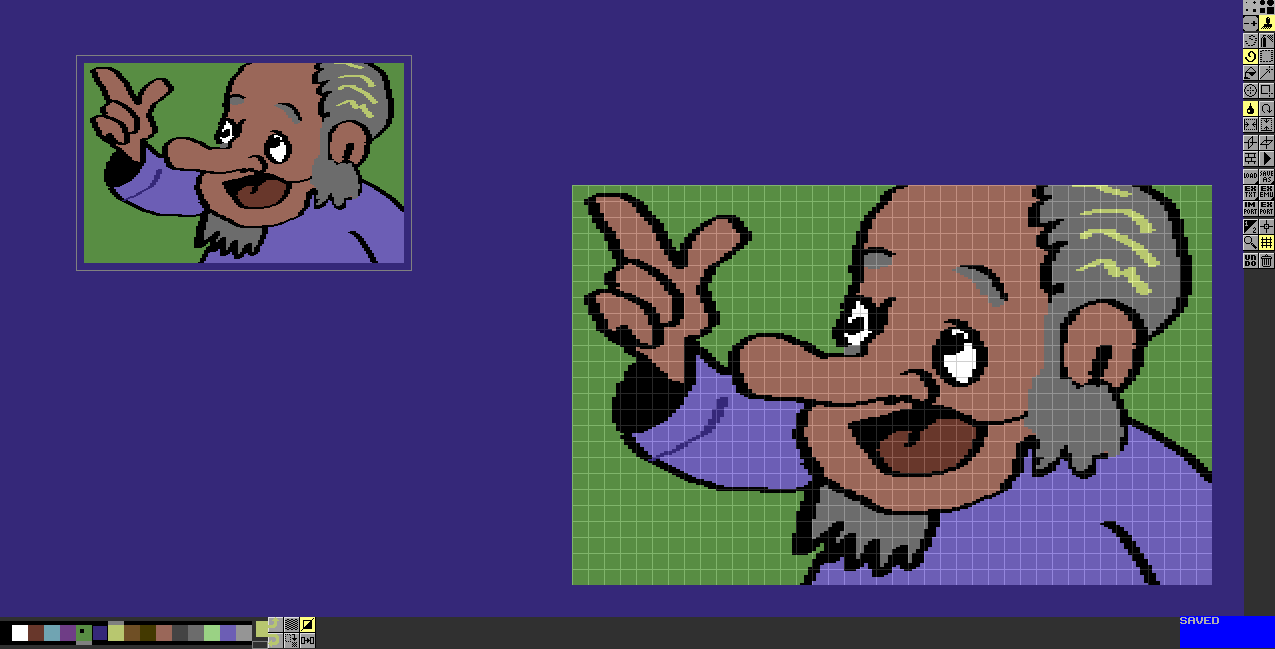
Showing posts with label multipaint. Show all posts

Thursday, 23 April 2026

Multipaint 10th anniversary of release

The 10th Anniversary of the first public release of Multipaint (24.2.2016) slid past without me noticing.

I actually started Multipaint in late 2013. It was called "kuppapaint" internally! The impetus at that time had to do with Marq's PETSCII editor, which showed practically how things like file selectors and preferences could be handled in Processing. I also contributed to the PETSCII editor and the rapid development was inspiring.

PETSCII editor fit a very clear gap, but there were already cross-platform pixel paint programs that worked with C64 and ZX Spectrum screenmodes. So even if I had started on a pixeling program, I wasn't initially convinced it would need to be released.

I did notice the existing software mostly worked with Windows only and their development had in some cases ceased.

Grafx2 appeared closest to a multi-platform program that could handle various legacy modes. Yet, to me making pictures with attribute limitations was difficult, and the program itself looked complex with many features I really didn't need. Despite being a Deluxe Paint-inspired software, it actually didn't remind me of Deluxe Paint all that much.

ZXPAINT Processing sketch, 2009

Prehistory: ZXPAINT

I did something drawing-related already on a ZX Spectrum, during 1988 or thereabouts. It was a BASIC program that involved moving a pixel around with a joystick. The line would go on and off with the fire button. A checkerboard dither was available.

On Amiga and Atari ST, I dabbled with BASICs such as ST BASIC, STOS and AMOS, toying around with creating editors and beginnings of tiny paint programs. But under the colossal shadow of Daniel Silva's Deluxe Paint, this never felt really necessary.

Only during the PC era, around the year 2000, I began to see the necessity of making my own editors again. Deluxe Paint was a thing in the past and the new PC programs were cumbersome and seemed to focus on the wrong things. My efforts were mostly sprite- and tile-oriented, written in c and worked directly with key shortcuts and supported my modest game programming ambitions.

With Allegro or SDL? Not sure anymore

The "dream" over the years was really concerned with either a full Deluxe Paint style program, or a program that could work with ZX Spectrum attribute limits on the fly. I seem to have been working on at least one version in 2009, called ZXPAINT.

The source code suggests that Processing changed the way file selectors worked, as the source no longer ran without modifications. It might have disappointed me and discouraged me from continuing with this effort.

It didn't look like any of the parts of the 2009 ZXPAINT source were reused in Multipaint, it's more like the experience helped in making slightly better choices later.

ZXPAINT outcome stupidvampire, November 2009

There was also the minor episode of making a doctoral thesis on the topic of self-constructed creative design tools, but I'll leave it at that. It's more that after finished with it, I could again concentrate on hobbies and fun things without the heaviness of heart that comes with having an unfinished thesis looming somewhere in the future.

Multipaint early days

After the premise of the ZX mode had been built into what was to become Multipaint, quite soon I began adding a Commodore 64 Hires mode. I saw myself making C64 hires graphics rather than ZX Spectrum. This was probably because of the 2013 PETSCII wave, I had seen how vivid the C64 scene was and wanted to contribute graphics. Back then it was not even obvious where I could submit Speccy graphics.

I also had a nefarious plan of using my own tool to gain some advantage over competition, but I soon saw it didn't help me that much, and that it would be better to release the tool into the wild. Two images, Inside Job and Countryside, were released before Multipaint itself was out.

An MSX mode was added too, so all the three first modes were attribute-limited in a nearly similar way. After that arrived the multicolour C64 mode, which was already tricky as the program had been hardcoded to support those Spectrum-style graphics. At that point I was supporting all the three major 8-bit platforms I had access to back in the 1980s.

Some of the first tests of the MSX mode, pre-2016

Around this time the idea of a "fantasy console for multi-platform graphics" came to being, meaning that Multipaint pretended to be a computer whose architecture was good for simulating various 8-bit modes. This was too much of a high concept, and I had already been coding myself into the corner, but this idea stimulated my imagination and I kept adding more modes.

It looks like I can't find any pre-2016 Processing sketches, which is a pity. The development diary exists though, and late 2013 entries suggest I worked quite intensely on it from September to the end of the November of that year. After that the ZX and C64 modes and their exports were in place. When I returned in the beginning of 2014, I begun working on the C64 multicolour mode.

Surprisingly, the beginnings of an "Amiga" mode were already in process during 2015. Atari ST was first in a release, though, and the Amiga mode had to wait.

Milestones

Not to make this overlong, there have been some larger milestones in Multipaint: 

During the first years, there was a lot of wrestling about how "intelligent" the colour limit adaptation should be. As the program advanced, I dropped off the attempt at providing any kind of heuristics for the colour adaptation, and the program simply changes the underlying colour. After that nobody really complained much about the colour model.

Adding drop-down menus, Deluxe Paint style, made the program far more accessible. I wasn't especially excited about this first, and no-one had really requested it. But many user requests and new features would have been difficult to add if there were no dialogues or menus. 

With the menus, it was now possible to "see" what features the program has by glancing at them. I could also now add incomplete and experimental modes to an "Extras" window, and get rid of the separate system dialog for choosing the platform.

Pull-down menu in Multipaint 2025

The first 16-bit modes provided further challenges, but after adding Atari ST and Amiga, and a possibility of switching between modes without restarting the app, Multipaint really became more "multi". Before that, it wasn't even possible to load a file of another platform without restarting Multipaint first.

The recent years have brought app window resize, separate preview window and external scripts for handling the various target platform formats.

One of the newest additions has been the "recentfiles.txt" list, which lets the user load a previously saved file from a short list. This was surprisingly tricky to do, what with the different save formats and scripted save modes. It has likely resulted in some obscure file-related bugs that I may still be hunting for the better part of the next decade.


So, you thought about making a retro paint program?

There's been contenders over the years, but now there's almost a deluge of new paint programs supporting C64 and ZX Spectrum modes.

It's probably not too hard to make a single-platform paint program that's better than one of Multipaint's modes. I still believe there's something valuable in Multipaint's simplicity, and the idea that if you've learned one mode you might want to explore others too. A lot of great graphics have been made with potato-level editors, because the basic drawing functions were good enough.

I'll share some advice, some obvious, some sarcastic, but here goes:

  • It's a good idea to show the attribute/colour effects already as the cursor floats over the canvas.
    • It's NOT necessary to show a "transparent version" of those effects.
    • It's ABSOLUTELY NOT necessary to have a "flashing cursor". Granted, I've not seen this in the pixel programs, but in some PETSCII editors it's a pest.

  • Can we have a grid that's not garish and overblown? If the grid is something else than white/grey/black, it will affect the colour perception of what's under.
    • Personally I don't understand the need for a pixel-level grid, but C64 programs used to have things like that in the magnify mode. If you do, make an on/off switch.

  • Supporting every possible C64-palette known to man? I tried through my own actions to limit the number of palettes in the wild, but to no avail.

  • Obviously everyone has to come up with their own keyboard shortcuts, or assume that Adobe products' keyboard shortcuts are a widely accepted standard.
    • If I could go back in time, I'd make all possible key shortcuts align better with Deluxe Paint.
    • I've tried, when really necessary, look into how GIMP and Krita do things.

  • Be assured that if a tool is not very visible in your interface, people will assume it does not exist.

Extras in Multipaint 2026

It can be smart to add features people suggest. I doubt Multipaint would have been what it is, if there had been no requests or I would have ignored them all.

But after a point you'll have to try to figure out what's your "vision" and boundaries for the software.
  • In Multipaint, I decided not to go forward with multipage, full animation or layers. I came to realize Multipaint "pretends to be an old paint program" which helped keep it limited.

  • Importing could be better, but giving it a thought I don't see it a huge priority. If I can discourage people from making conversion-based images, the better.

  • Feature Creep is a thing. Adding a feature seems innocent enough, just make it so it can be turned on/off, man! But even this would add yet another dialog or option in a program that was meant to be simple.

  • Some have requested adding really obscure platforms, in the hope their platform would get more support and visibility. But from what I've seen so far, the support doesn't really arrive that way.

  • "It doesn't have feature X, therefore crap blah blah" is often talk from people who look at it from the outside, probably without really trying the software.

And the usual: It's often much more fun to start a project than it is to maintain it... but if the project has major updates and good new features, these can again be fun to tinker with.

Multipaint's future is still assured, but not endlessly bright. It depends much on what happens on the Processing/Java front.

...


Sunday, 24 March 2024

Multipaint 2024

Another year, another version. Making the cut between the "annual" Multipaint version is a little arbitrary, but I think this year there's some cause for this.

For once, the new Multipaint should be a little faster than the old one. This is largely due to using a more Processing-friendly way of rendering the target platform screen as an 1:1 bitmap first and then scaling that using Processing's own image() capability. (Processing is the Java-based environment in which Multipaint is programmed in).


Pan and preview window

For panning the screen around, no new redrawing is needed on the target platform level, making the pan and internal pseudo-window handling (palette, settings) easier.

Previously I felt the non-magnified viewport should be fixed, connecting Multipaint with old programs such as Deluxe Paint, Degas Elite or Art Studio. But it did cause some clunkiness when zooming in and out near the screen edges with mousewheel.

Now I think it's possible to have my cake and eat it too. So, even if the 0-level screen can be panned by middle button drag, if you use the old fashioned magnify tools you might not even see it happen.

The overhaul also streamlined the viewport drawing routines and refreshing the screen. This may open up some new possibilities for handling the screen in the future. The border is no longer "infinite" and there's empty UI area outside the border.

Huge preview window, and free panning demonstrated

Having mentioned the pseudo-windows, the Preview window is now a properly detached, separate window, which displays the target screen contents in either 1x or 2x pixels, and in a more correct aspect ratio. This was a solution that has worked well without problems in Marq's PETSCII editor, so I finally dared to use a similar approach here.

There's very little to prevent me from enabling the more accurate aspect ratios in the main screen, but I still have a hunch it's better to keep pixels in integer proportions, as scaling can produce ugly artefacts.


Processing 3 and Processing 4

Another issue concerned moving over to the newer Processing 4. This shouldn't be a huge deal, as the same source now appears to work in both without changes.

Some reports have been trickling in of Multipaint again not working in some Windows or Mac configurations, whereas it appears a Processing 4-built application might work in these situations.

However, the Processing 4 -build requires OpenJDK 17 or higher. At least the creators of Processing have now made this very clear. In the past I felt it was slightly uncertain if OpenJDK is even fine and if so, which version to use. Or I simply couldn't be bothered to find that info.

Because it might be a chore to get OpenJDK 17 working, and your old Multipaint works fine, I still offer the main download as a zip with Processing *3* builds. The Processing *4* builds are in a separate zip available on the website, in case you feel the old Java/Processing is the problem.

Edit: In Linux Mint you can simply open the Software Manager, search for "openjdk" and choose to install for example Openjdk-21-jre. After this, the P4 version of Multipaint should work.

Sadly, as progress moves on, older computers might no longer have meaningful way to update Java or OpenJDK. Acquiring a cheap/free recent enough Linux laptop shouldn't be too hard, though?

Processing might eventually have an end-of-life too, but at least they still bother to chase the recent developments.

Big screens, small screens

With the improvements above, I was quite happy to use even a maximized app window on a 2560x1440 display. But as usual, it may be your xxxtreme graphics workstation with super-high resolution doesn't provide the best environment for Multipaint. I would still suggest not maximizing the window.

At another end, after freeing the panning, coupled with better GUI scaling and the preview window separation means that on a small-resolution screen (~1440x768) you might be able to find more helpful window positions. For example, the Multipaint main window could mostly serve as a magnify window, while looking at the Preview window for overview.

Main window and preview window side by side

I did fiddle around a little with Raspberry Pi 400, Multipaint does work on Raspbian OS and it is reasonably possible to draw using it. I wouldn't use a large desktop resolution, as a huge Multipaint window slows things disproportionally. Conversion tasks, both from files and in between modes, are also quite slow.

On Raspbian, the file selector may look horrible, the worse the higher the desktop resolution, and I may eventually adopt Marq's choice from his PETSCII Editor. It is generally better and seems to work on Raspbian.


Unique Character count, "UQ"

Unique Character count was added to the C64 multicolor mode, just to test see how Multipaint could help in creating character graphics. The feature request and testing was done by Shine.

At the infobox, UQ: displays the number of unique characters in use. Multipaint checks whether the screen would work as a multicolor character screen, but doesn't understand the mixing of hires and multicolor modes. If there's a problem the infobox will just bluntly say "UQ:???" and you have to figure it out. 

The multicolor character mode has three separate global colors, and each character area can have one more color, just as long as this color is from the range 0-7.

It might make intuitive sense to use global colors from the 8-15 range, as you cannot reach them from the per-char color. However, many images and games still use 0 (black) as global color to have more freedom to combine the 1-7 colors with black.

This screen uses 75 unique characters, the three greys form the global colors (screen bottom)

Although the multicolor screen background is always selected manually, UQ estimates what the two extra global colors might legally be (shown below the selected colors, among the global color) and understands the use of 0-7 colors in character-by-character basis.

This is also partly the reason the feature can't (yet) be more specific in showing where the "mistakes" are, as it's a little tricky to make a difference between "you messed a global color" and "one of these characters doesn't work".

The character idea might not fit that well with the Multipaint philosophy of drawing single standard bitmap screens in simple way, but there it is. I felt the routines might serve more generally as a rudimentary packer, or for creating modes that have character limitations built-in. The long-coming Panasonic JR200 mode springs into mind.

UQ may be improved in the future, and exporting as a character mode screen should be a possibility.

Other enhancements

At the tail end of Multipaint 2023, I added the ZX Spectrum Next modes. The bugs and even the occasional crashes this addition created, should be fixed for 2024 version.

I added some Commodore 64 goodies, mostly things that work under the hood. Loading in a PNG file that contains standard C64 graphics in 320x200 resolution should now work better.

Multipaint can have a hunch of what kind of palette has been used, and make a good guess of what the background color should be in multicolor mode. This is simply achieved by converting the same image 16 times(!), to see which of the background colors produces the least "lossy" conversion.

As before, a really non-ambiguous border around the 320x200 area will be cropped, and this has not been improved in any way.

Still, the conversion engine is not that great and I have no big intention to develop Multipaint into a generic conversion tool. But as I said, it should load C64 images more accurately from PNGs.

This also affects the internal conversions, switching from other modes towards C64 may produce better color identification and a more useful background color in multicolor. This is especially important if using the C64 multicolor "free" mode to create something that works in another background than black.

Opportunities for some tiny UI fixes always arise. Just a couple of examples: If the magnifying glass tool is currently on, the mousewheel zoom would behave erratically, now it's cleaner. You can pipette the border area and get its color that way.


The Future

It's already more than ten years since I started Multipaint, although the first public release was at 2016!

This version shortened my to-do list somewhat, but there are also long-standing issues and omissions I could not yet cram into this release. Usually the major Multipaint release gets advertised a little more and I will find out the changes broke something or didn't quite work as intended, and this will take some of my time.

Despite the messy and sprawling nature of the code, I still have a pretty good grasp of how it works and how to do changes to it. I have a good idea of what can be fixed quickly and what needs a more dedicated effort, and what probably isn't worth trying to change anymore.

I had mused about the viewport overhaul in my mind for a long time, and then it was surprisingly quick to do. Trimming it around the edges (almost literally) took more effort.

http://multipaint.kameli.net/

At CSDb

https://csdb.dk/release/?id=240697

Wednesday, 17 January 2024

Multipaint and ZX Spectrum Next

Some development notes about ZX Spectrum Next graphics modes in Multipaint, the multi-platform (Linux, Mac, PC) for creating 8/16 bit images.

The supported screenmodes are "layer 2" graphics, 256 x 192, or 320 x 256, both with 256 colors. ZX Next has many more modes, but these look like the most prominent for graphics and games.

I know it's possible to write code that displays 512 colors on-screen, but as usual, Multipaint only supports the most vanilla screenmodes.

Paint programs for 256 color modes are common, so I tried to compensate by adding a bunch of useful load/save options, more than the usual amount.

DK sprites from the Next SD card

Why are the formats individually listed in the menu, and not just integrated in the file selector? Well, I've found that if a feature is not very visible, people tend to think it does not exist.

Seriously though, one day I may add a better file extension recognition for the main file selector too.

Multipaint was designed for about 16 colors in mind, so the palette and color options for 256 color modes can appear a little limited.

At least the FX brush modes such as Lighten/Darken, Tint and Mix help somewhat and work better in 256 colors than in other modes. I still consider these as somewhat "beta". But you can draw a filled rectangle with the FX "Darken" on the desired area to make it more subdued, without having to pixel everything again or alter the palette.

Spectrum Next has a convention where the default palette holds a 256-color "8-bit RGB palette", 8 steps for Red, Green and 4 steps for Blue. 

This is especially useful for NextBASIC, you can work ideas without having to define palettes. The 256-color set is already very comprehensive – there isn't that much more you can do with the 512 color range. (8 greyscales is something that springs into mind, though.)

Next default "8-bit" palette

Multipaint respects this default palette convention, so if you import a PNG image, the palette is not altered.

This behavior can be changed from File->Settings, by turning on the "re-palette" option for incoming files.

Coders: Each platform specific Save menu option can be invoked from the File-> Export TXT item. From this dialogue you can save text/source versions of the same formats. These can then be copied to or included in an assembler source.

As of now the result is a little unresponsive, but the file ought to save even if it looks like nothing happened.

The Export as Text dialogue.

I've been asked for GIF and BMP support, makes sense as they are indexed modes with no ambiguity. Again something to think about in the future.

The Multipaint BIN project format obviously preserves the palette and the color index, and sticking to the default palette can also be helpful.

The ZX Next specific formats supported:

NXI

NXI is raw bitmap data, without any palette information.

The 256x192 and 320x256 variants can be detected from the file length.

Without palette, they are 49152 and 81920 respectively. With palette, add 512 bytes to length.

Note that the display order is different for the 320x256 version, the image is stored "vertically" in memory.

Multipaint doesn't currently change the screenmode automatically for an in-coming NXI, so you have to first pick the correct mode and then load the NXI. The dialog will warn of incorrect NXI length, though.

Notably, the PLOTIT-LITE paint program included in the ZX Next bundle can load and save 256x192 NXI files.


NXI with palette added

The same as NXI, but with 512 bytes of 9-bit palette data. Multipaint can detect which one it is from the file length.

For saving, you have to choose either NXI or "NXI wo" (without).

This format is largely useful for storing, I don't know of any other context of use. 

SL2

256 x 192 raw bitmap data, without palette. These files have a 128-byte PLUS3DOS header to facilitate system loading, or something.

Although the header ends with a checksum, the checksum apparently only matters for the 128 first bytes, thus the value is always the same for this image format.

The importance of SL2 is that the NextBASIC can easily load these files:

10 LAYER 2,1
20 LOAD "picture.sl2" LAYER
30 PAUSE 0

If the picture is in the same folder, NextBASIC should load and display the image.


SPR

SPR is 16384 bytes, raw bitmap data, containing 64 sprite definitions. The sprites are ordered as 16x16 entities, following each other.

Multipaint has no different mode for sprites, the SAVE SPR simply stores the top third of a 256x192 mode screen. This also means whatever is in the remainder, is NOT saved!

Hopefully I can come up with a clearer solution, as the bottom part works nicely as a scratchpad, and there's a chance of losing work.

Some tile work

Preferably, sprites and tiles should be saved in some other format, and only exported via SAVE SPR when needed.

The Sprite/Tile editor included with ZX Next bundle can load SPR files. *.SPR can even be launched from the Browser for inspection.

There's a couple of NextBASIC demos that show how to load and use SPR files in your own Basic programs, I won't go there now.

PAL

PAL is a 512 bytes file which contains the 9-bit RGB definitions for 256-color palette, from index 0 to 255. Practically every odd byte just contains the last needed bit for Blue component of each color.

This is identical to the way the palette is stored in NXI paletted format. It is also a handy order for dumping palette data via color registers in machine code.

This format also facilitates the loading and saving of alternative palettes, in case you need something else than the default palette. I'd recommend sticking to the default palette as much as possible.


NEX

Nex is not an image format, but a more generic means of "packaging" a code, its data and assets into a direct one-file executable, as described here.

I used this opportunity to have a NEX-based self-viewer that can be run from the Browser.

If you use the excellent NextSync for wireless file transfer, you could just export the NEX into your PC sync folder, sync the Next and then run the executable. Not too slow!


A few non-Next related notes

Multipaint is still being developed, and I am headed for a 2024 version, with some overhauls and a possible move to Processing 4.

Tutorial is a funny addition. It can be selected from the start menu. Hopefully, by going through the tutorial, it's more clear what kind of tools and options are available. The tutorial hasn't really been tested much, and may be adjusted in the future.

Another recent addition is a "key cheatsheet" menu item, which shows some (not all) keyboard shortcuts that might come in handy for more effective work.

Generally, Pull Down menus and the icon set and tooltips should give an idea of what is there, but there are also couple of functions that have never been really visible.

For example, scrolling of dither patterns using [ and ] keys is not widely known!

Multipaint website and Downloads

Sunday, 19 February 2023

Multipaint 2023


With no Multipaint "yearly" release for 2021 and 2022, I thought it was high time to get a version out.

The hiatus was at least partly because of Covid. But maybe not in the way one would expect. You see, for some reason 2020-2021 was at first a time for ambitious new ideas and concentrating on hobbies. This led me to create a huge internal overhaul for Multipaint that eventually became something of a burden, locking me out of a release for a long while.

Often it was like "It would be nice to get that pan tool feature out, but the script features are far from being finished!"


GUI and functions

Indeed from the user point of view one of the biggest additions is the pan tool. In magnify, you can either use the "hand" icon, or hold down the middle mouse button to drag the view.

In the full screen view the pan tool doesn't do anything, which is not that intuitive. Programs like GIMP allow you to drag the full image around, which is kind of useful when preparing to zoom in.

The Multipaint viewport may need rethinking in the future, but I would also like to preserve the 8-bit/16-bit style "full screen" drawing.

The text in menus and buttons now also uses both upper and lower case, which I hope is slightly more readable than the past UPPER-CASE menus. The characters were tweaked a little too, but as it's a monospace, there are always some compromises.

Multipaint 2020 scaled the contents of the window depending on how the full screen fit into the application window. Resizing the window switches between 1-3x scales. Now it's also possible to force one of the scales from the Other menu.

This can be helpful for some situations where you need to fit Multipaint to a low resolution laptop screen. The viewport may overlap the tool palettes, which I didn't fix for now. Using the forced scales, the user is responsible for setting the window size anyway.

The file selector caused some problems for Windows users, which I already knew from Marq's PETSCII editor. Instead of revamping the themed file selector code I disabled it for Windows altogether, which according to one test helped enough. From prefs.txt it is possible to force it back on, in case someone wants to test if the slightly better file selector works.

I adjusted the grid terminology a little. I had happily used "8x8" grid for what was technically a "4x8" grid in wide pixel modes, now it ought to be more consistent.

New Modes

A kind of Amiga mode has been "unofficially" part of Multipaint for a while. However, Multipaint 2023 finally has a resizable, bitplane-adjustable mode that I could properly call Amiga.

Currently it only exports IFF, and cannot load it in, as I found it to be somewhat complex. What kind of IFF would I support? Possibly a Deluxe Paint 3 output would be enough.

Obviously it can handle the Multipaint "*.bin" project format and png load/save, so it's not something to worry too much.

The resize-function is still rather limited, and there's an invisible memory limit to which the mode has to fit into. I consider this an Amiga "low resolution" mode although you can use 1 bitplane and create a 640x400 bitmap.

I guess this would also work as an Atari STE mode, although I haven't written a Degas exporter specific for this mode.

Why even do an Amiga or Atari ST? I no longer remember. Multipaint originally concentrated on 8-bit modes, and it might have been good to hold onto this constraint. For a while, Sinclair QL was my favorite retro machine, resulting in a new mode. Then Atari ST was done as it could be done just as well, and then I began to think what an Amiga mode needed.

VIC-20 hires and multicolor modes were a late addition. I have wanted VIC-20 modes for a long time, but was always somewhat confused with the different implementations, some of which required extra memory and even extra hardware. Aleksi Eeben (thank you!) supplied practically a white paper with specs and examples and a format that could make most out of the unexpanded VIC. I could not resist adding the modes.

Extras Menu

I added an Extras dialogue in the File menu for running less complete, experimental or non-standard modes. I couldn't live with the idea the main platform selector was cluttered with these, but I still wanted more easy access to them for the user. In the future I may revamp the platform selector and again combine the menus somehow.


One of these is the ULAplus direct mode, which is like ZX ULAplus, but the mode doesn't attempt the notorious "live" palette adjustments of the original mode. So it's bit like working on a normal ZX Spectrum with 64 color adjustable palette.

If you turn over to the real ULAplus mode, Multipaint will then convert the image to the real platform limits. Although I've allowed 64 colors, I'd recommend using maximum of about 16, especially because there seems to be something a little wonky about the internal conversion still.

I added a C64 multicolor free mode, similar to the C64 hires free mode. This is meant for experimentation with non-standard C64 ideas, such as mock-up sprites or border effects, or create larger than screen-size bitmaps. Or make pretend you are in a FLI or some such mode.

I also enabled the resize-function for these two modes. Admittedly Multipaint is currently not very good at handling larger screens. I have some ideas about how to expand the usefulness of these modes.

I was asked to add an Amstrad GX4000/plus mode, and it turned out so easy to create I put it to the Extras. This computer enjoyed some popularity in France, but it is not well known for the rest of the world. I do remember it was advertised in Finland. The mode is 160x200 with 16 colors out of 4096 maximum.

Scripting

The biggest change to Multipaint is not really visible to the user at all, the external script functionality.

All the export/import functions were previously written inside the Multipaint source code. Although I could reuse components, this approach began to look like a growing problem if I were to add more modes. Likewise, the component-approach meant that if something broke it could affect multiple other modes. The text exporter was also getting to be a little messy.

Now, Multipaint loads a boot.txt script that defines what other scripts are attached to the current platform File menu and what role they are to play. These scripts in turn use a primitive BASIC-like language to convert the Multipaint internal format into an 8-bit format or executable.


Of course the interpreter takes room in the Multipaint source, but adding new import/export scripts doesn't clutter the source and each platform has a self-contained script. Well, the Amstrad CPC disk baker uses two layers of scripts which I don't like, but it was necessary.

I also encountered the fact that a lazy implementation of a script interpreter isn't especially fast in Java/Processing as the string appending, clipping and concatenation can be costly there. Making it faster took some while, and I can only hope the export/imports are rapid enough.

I'm not yet prepared to say it's a good idea to create your own scripts, but it is possible, they are located in the data folder just as the prefs.txt is.

Into the future

There's actually a bunch of to-do ideas hanging around for a long while, yet I didn't get them into this release version. Now that the scripting idea works I could consider some more lightweight additions.

One future idea is to enable user-creation of modes that are similar to the already existing ones. For example, Amstrad GX4000 was basically a combination of already existing modes and palette selector definition. Almost anyone could have added the mode, except the Multipaint source is so convoluted only I know my way around it.

However, the VIC-20 modes, despite seemingly based on similar concepts as other modes, still required quite a lot of tweaking. So, who knows.

I probably need to look into Processing 4, just to keep up with the official developments.

Multipaint web site:

http://multipaint.kameli.net


Sunday, 22 November 2020

Multipaint 2020

I've tried to have a major Multipaint version out each year, at least as long as it makes some kind of sense. Now Multipaint 2020 is out, somewhat later than I hoped. 

The fix-list of every tiny thing is too numerous to put anywhere, the website details the more important ones (http://multipaint.kameli.net). I'll just open up a few points too large to fit there.

The largest step was to move over to Processing 3. This itself doesn't really change the program appearance in almost any way. Hopefully as a newer version it would be more stable and the prefs.txt problems becomes a thing in the past. 

Sadly the transition to P3 means the application is likely slower, something that shows itself on less powerful computers. I compared the Processing 2-based version on Raspberry Pi 3, and found that version to be useable, whereas the new executable made with Processing 3 is quite slow.

This could be due to the way the screen renderer works, but I didn't dare to meddle too much with a thing that worked well in the past.


Application window resizing

(Edit: The feature doesn't work in all Linux desktops. Hang on.)

Edit 2: It does work, too! (24.11.2020)

A major visible change is that I made the application window resizable. Although the program had been already written with a flexible interface in mind, and it could be set from the prefs, the app could not be resized while running. 

However, despite the old code there was still bring a bunch of boring upheavals to the interface drawing and scaling routines.

Dark theme, resized window, SET GRID and a 100% C64->ULAplus conversion caught at the same time.

There are various reasons for making this. One is that there may be low-resolution screens which didn't just about fit the display, so you have a chance to adjust the situation a bit. It's also easier to make larger if it's too tiny for your display, without fiddling with the ZOOM parameter in prefs. Also, if your screen size allows it, it may be nicer to have some more of that good old border visible.

Just to be clear the target platform resolutions are not alterable. I did some behind-the-scenes work to enable non-standard screen sizes, important for Amiga, but this will be a future feature.

I long wondered why Processing 3 does not allow the direct use of size() no longer, or the use of variables as parameters to it. Well, in P3 it's now simply surface.setSize() and works just as well or even better so no worries really.

If the chosen viewport doesn't fit the current scale, Multipaint will re-scale the interface. Also, if you make the application window substantially larger, the scale will follow. Scaling was a feature that was previously only accessible from the prefs.txt ZOOM variable.

The least I now want is to make Multipaint more complex. So, it should still work as before and you might not even notice the resizable window feature if you don't need it.

Resizable window is also a base for future developments, as more flexible target platform resolutions could be made to fit better in the application window.

A very large window will unfortunately slow down a computer, or make your computer choke and start the fans, even if you do nothing with Multipaint. This is something that relates to the way Processing updates the window and apparently can't be helped much.


So, it's somewhat ironic that if you have a huge 4K/8K resolution display specifically for graphic work, then Multipaint might not work ideally on it. Resolutions like 1920 x 1080/1200 should not be too huge. I'd recommend not working on lower display resolutions than 1024 x 768, but it shouldn't be impossible.

Still, the window resizing is less than complete. You can't yet change the actual viewport position, for example.


Dark theme and Set Grid

I added an option to switch between light and dark theme. This did not require much work, as the interface fonts and icons are based on custom routines anyway and not on real fonts or image files.

Set Grid dialogue is something I wanted to add. The already existing grid commands and presets should work as before. This is again a "funny" thing in that the facility for making arbitrary grids has been there for a while, but there was no dialogue to make it happen.

I can only note that when working with 8x8 attribute modes, if the grid does not align with the attribute grid it can be really confusing.

What with the new drawing routines and all, the grid color is again a bit silly. It's like a recurring nightmare. I added a brightness setting as a hasty fix, but as some have commented the grid might have been too dark in their monitors anyway so it is good to have it adjustable. But this is a topic I'll have to look at in the future, again.


Border analysis

When loading png/jpg images, Multipaint will make an attempt to deduce if the image has a border and takes the "real" image from the middle, if it has the correct resolution (or a duplicate/triplicate of the resolution).

For ZX Spectrum and C64 modes this might be helpful when using Multipaint with plain jpg/png files.  It also makes it a bit easier to load existing images from the internet.

I'd still recommend using the BIN file format for project work.

Multipaint loading a 3x PNG file saved from Fuse. (In this case, use SCR, really)

However, if Multipaint can't explicitly determine a border, it will simply load and scale the image, borders and all. For example you might have a small logo in the centre of the screen and a black background and border. In the future there might be a "crop anyway" dialogue.

One problem was whether to include this feature in modes that don't really have a border. But I felt that there might still be quite a lot of images with a "border" in them, such as Atari ST screenshots. So I enabled this for every mode.


Amstrad CPC Overscan 384 x 270 x 16

The original Multipaint interface was very fixed to the idea of having a 320 x 200 resolution at tops. This was also reflected in many, but fortunately not all, internal structural choices of the program.

But now it might be the time to expand these horizons a bit.

To cut a long explanation shorter, instead of resizing buffers I'm using the same room more efficiently to manage the 384 x 272 x 16 resolution.

Just as with all the Amstrad modes, the export template is taken from Marq's Pixel Polizei (thanks!), so you should be able to get the exported images up and running on a real Amstrad. I also followed the export code quite strictly.

The CPC overscan, I'm told, is not really a very standard graphics mode, so I'm now sort of opened the gate for software-enhanced modes(!)


Amstrad CPC mode 1 320 x 200 x 4

This was already in the later 2019 version I think. The mode was a fairly simple addition, but I don't expect many to use it. It is somewhat nostalgic to me as I used to see screenshots of Amstrad games in magazines and they often looked like Spectrum games except with one or two more colors and I wondered how this could be. 

There is an overscan variant but I have not implemented it yet.


C64 unlimited 320 x 200 mode, and other C64 goodies

I added the C64 hires unlimited mode that was previously experimental. It behaves like a C64 320 x 200 mode, with the fixed palette of 16 colors. Howver you can draw the colors freely without any color clash.

So you could basically draw a C64 hires image without Multipaint imposing anything on you, and then move over to the C64 hires mode, and have Multipaint "validate" your image.

The reason for this mode in the first place was I wanted to work on composite sprites, i.e. overlaying different-colored sprites to make hires sprites with many colors. (Or superimpose hires on multicolor sprites). However, it is your responsibility to convert the output png into valid sprite data.

Adding this mode is a bigger change in the Multipaint "philosophy" than might seem and I've felt a bit troubled about it every now and then. However, perhaps better simply make it available and face the outcome.

Why don't all the modes have this option? I haven't still quite decided if this should be a unique mode or rather a switch inside the modes proper.

The transition between different C64 modes is now smoother in that your chosen palette will be preserved and so is the border color. The image is still transferred via "bitmap conversion", but I have not seen any problems coming out of this.


Multipaint at kameli.net

Saturday, 14 September 2019

Multipaint 2019: ULAplus, QL, pull-down menus and more


Multipaint 2019 has been long in the making, but there are quite a lot of tiny and bit bigger new things.

Get it at http://multipaint.kameli.net/

In this blog post I'll discuss some of the new features and add background detail that wouldn't fit the webpage and the manual.


Application behaviour

The application window is no longer scaled according to the chosen target platform.

The uniform sized application window helped me get rid of the java-based dialogue box when running the application, and you will see an in-application menu for choosing the platforms.


Because of this it's also possible to change the platform (FILE / NEW MODE) on the fly, so you don't have to re-run the application just to try a different platform. Don't expect it to convert your images on the fly as yet.

In the future Multipaint will likely suggest a mode change when loading a file for different platform, it's no longer hard to do but I didn't want to do the testing now.

I have removed the application window zoom size 1 (mini) from the prefs, as supporting it became a bit problematic. Tell me if you really, really need it.

There are now more tricks to access the "prefs.txt", this may help Macintosh users who have had problems with the preferences. If Multipaint is run from terminal, it outputs file-related messages to the console, hopefully helping solve these problems in the future.

Overall the program might not be as fast as before. I changed some convoluted code to something that is easier to handle, but likely a bit slower. I was also reluctant to optimize the all-new window and menu drawing routines.


File safety

Multipaint 2019 imposes some (conventional) rules for increased safety:
  • File overwrites and mode changes will have to be confirmed.
  • Multipaint reminds you of unsaved work when loading a new file.
  • Unsaved pages are pointed out when quitting (However, see note below).
  • Using “clear all” will reset the filename.
  • You cannot UNDO past a point that would require a filename change.
A page is  “unsaved” if a tool has been used on the page, it's currently no more clever than that.


The UNDO limit may sound like an overkill but it's been the only real source of lost work for me personally. Some have reported lost work due to clicking wrong icons or window close button accidentally.

NOTE: As much as I tried, I could not get Processing/Java to reliably bypass the window close button on the exported application. The work on this continues.

In the meantime, Multipaint tries to save pages automatically on exit, the files are called multipaint_auto_page1.bin and multipaint_auto_page2.bin, saved in the Multipaint application folder.


Drawing tools and magnify mode


There are more magnify levels (5 including the full view), making the mouse wheel magnify much more fluid. It should work a bit more like you would expect in this type of program (e.g. Krita) and to me it has quickly become the standard way of zooming in and out. The old magnify tool icon and magnify keys work like they did before.

I'd go so far as to say a two-button mouse with a wheel (doubling as a middle mousebutton) is the optimal tool for using Multipaint. Well, at least that's what I'm using all the time. However, the new style interface means the program should be more useable with a drawing tablet (wacom).

I cautiously added an auto-scroll for the second phase of two-phased tools such as rectangle and line. So, if you drag these tools outside the entire Multipaint window the mag window ought to scroll a bit. I'll probably improve the panning options in the future.

You can now reset your tool options by pressing SPACE. This means if you have a cluster of switches on (mirror, recolor, dither etc), and you are not quite sure why you can't draw properly, just hit SPACE and you will get back your one-point, one-color brush with all the switches off.


Pull-down menus and interface changes

Multipaint 2019 introduces drop-down menus, much like in Amiga Deluxe Paint. (Or nearly every other application for that matter!)

With the new menus I can add options and dialogues for functions that have been a bit too well hidden. In the future, the dialogues also help in adding features that would not fit well within the icon/keypress logic. It's also a way to divide the immediate drawing tools/switches and the other functions.


Currently the menus don't do that much as I am a bit wary of crowding them with options. Also, a bit more planning may be needed for the new dialogues. As a sort of demo what will happen in the future, the Text export now opens a dialogue for export options (that also have been improved a bit).

The main toolbar can be flipped, it can be on the left or right hand side of the screen, using OTHER/SWAP SIDE. DeluxePaint had the menus at the right but most applications these days seem to favor the left side. To me the left-side felt quite natural. You choose.

As file options no longer have icons, I got more room for the remaining icons. I gave some padding around them and their groupings, which could again be helpful for drawing tablet users. I might consider reducing the amount of icons further, or making even more clear division between drawing tools and the switches.

Some functions are now in a more standard location, for example the Load/Save/Export/Import icons can be found from the top left FILE menu. Keyboard shortcuts work as usual.

Although redundant, Undo/Redo and clear-all can also be found from the menus for added comfort.  Also, select border/background etc. are added to the menus as they were not very visible. Clear background comes in two varieties, using 1st or 2nd color.

Quick flip is accessible from menu, so the image can be viewed as mirrored.

Two Commodore 64 alternate palettes (Pepto and Colodore) can be quick-accessed from the menu. Custom .ACT-format palette files can still be loaded using the Load menu option.

I added the Pipette tool as an icon, as people tended to think it does not exist at all. It does help drawing tablet users I think.


New Target Platforms: Sinclair Spectrum ULAplus and Sinclair QL

The biggest addition is the ZX Spectrum ULAplus colour enhanced mode, based on the ULAplus specification by Andrew Owen. The current ULAplus support is limited for the ZX Spectrum 32 x 24 colour resolution, and not every idea in gestation could be included. In the future, I might support the "timex" 8x1 mode.

An original ULAplus image made with Multipaint
I hesitated to add ULAplus as I've previously avoided any 'special' modes. ULAplus was interesting and compatible enough to do and has some actual support. I'll possibly discuss this in more detail in near future. Let's just say it's not an easy mode to work with!

Sinclair QL mode 8 has been promoted from a semi-supported platform into a "fully" supported platform. The mode has an approximated flat aspect ratio that cannot be turned off. I added this mode mainly because I have grown so fond of the QL.

More importantly, the QL mode represents a small step towards supporting some low resolution 16-bit modes (Atari ST 320 x 200). I've resisted this in the past as Multipaint does not really have the type of tools and interface for handling them in the best way, but the day is getting closer.

Multipaint at http://multipaint.kameli.net/


Monday, 29 July 2019

Some C64 stuff at Vammala Party 2019

I've not released anything for the Commodore 64 during this year, and I got to rectify this situation by making a couple of works for the Vammala Party demoparty:


A Small PET for Man (C64 PETSCII)


I don't usually base my images on photographs,  but in this case I did use more or less three different photographs as some kind of reference for the different picture elements. Especially the landing module.

I resisted the temptation of adding any 'moon hoax conspiracy' elements, that is getting really stale.


Fixertron (C64 Hires)


A sorts of sequel to Remote from last year, I heavily reworked an old work-in-progress image. During the process it got a character-graphics vibe, it could almost be done as a PETSCII.

This somewhat benefited from a new feature in (yet to be released) Multipaint, the quick mirroring of the whole page. As is well known, mirroring a drawing/painting/image can reveal mistakes that were not apparent from overt familiarity.


PET McKracken (C64 "demo" using PETSCII)


I discussed this triple-wide PETSCII already a while ago, but now it's available as a C64-running version. The landscape simply scrolls left and right, playing an atrocious rendition of the first few bars of the Zak theme.

Admittedly more could have been made to work it into a proper demo, however I was already struggling to get the pixel scrolling working.

That's it, nothing else, no hidden parts, no interactivity and no, I'm certainly not going to remake Zak as a PETSCII game. There might be a tiny chance I could work the technique into some other type of a game, though.

Other C64 Vammala party 2019 stuff at CSDb

Sunday, 14 April 2019

ZX Spectrum ULAplus mode, Multipaint etc.

I was asked to do ULAplus extended ZX Spectrum graphics mode support for the Multipaint painting software.

I was initially reluctant. Multipaint supports only the most established and "culturally recognized" modes, and I've not bothered to make C64 FLI/AFLI modes either, and they don't even require new hardware.

But I then saw that some images might actually come out of it, and seeing as I already own hardware that can display the mode (ZX Evolution) my curiosity grew. It's a challenging mode to work with, and Multipaint might help here.

I suppose a fairly huge proportion of currently active ZX Spectrum enthusiasts would be at least aware of the ULAplus mode. Although there are many modded and patched games and converted images that use the palette, the lack of editors and paint programs means Multipaint could even fill a niche here.

I'd usually prefer to release things before discussing them, but here I'll make an exception as there's a bit more to digest than usual.


ULAplus hardware?

In addition to the already mentioned ZX Evolution, I know about a ZX-UNO computer that has it. Then there is the SLAM drop-in ULA replacement which works on 128k or a +2.

A HDMI video board called the TK-Pie appears to promise these modes too.


Emulators also support the mode. I couldn't get my Linux Fuse patched to support it, but I have the mode working on ZX-UNO emulation within the ZEsarUX emulator. There I have to switch the mode on in the Display segment of the settings menu.


ULAplus and ZX Evolution

I had to update the firmware of my ZX Evolution to make this mode work. The firmware you get from one of the nedopc pages is not recent enough, so I went to GitHub and downloaded the latest zxevo_fw.bin and zxevo.rom. (Go look for the ROM at pentevo/rom/bin/)

I cannot guarantee this is the best option for your ZX Evolution, but at least I have my ULAplus mode working on a hardware speccy.

Upgrading the firmware was easy as I have my Evo inside a mini-ITX case. Wired correctly, I can then copy the zxevo_fw.bin to the SD card, and simply hold down the "soft" power button while plugging the cable in. The power LED flashes a bit and the firmware has been upgraded. These days the ZXevo ROM can be updated from within the baseconf service and it is a good practice to have both the ROM and the firmware updated at the same time.

ZX Evolution does not have a full ULAplus mode, it omits the difference between 6th and 7th level of the Red and Green components. So it might be something to consider when making graphics on the ULAplus.


ULAplus mode in Multipaint

Here I focus on how ULAplus works in practice and what it might mean for someone using Multipaint, although it's not yet definite how it will work.

ULAplus is clever in that it does not make the Specrum incompatible, it simply changes what is done with the memory bits that make up the display file. So, I'm only talking about the most standard mode, which has the same old resolution of 256 x 192 and the 32 x 24 attribute resolution with 256 colours to choose from.

The attribute "clash" is not removed, there are still two colours inside an 8x8 area, and much like with the ZX Spectrum there are rules to how these colours can be chosen.

But as there are more colours and they can be combined in more flexible ways, the look of the graphics can be changed quite radically. I'd go as far as to say the ULAplus experience proves the colour clash wasn't such a huge problem with the original ZX Spectrum, the limited colour palette was.

Here's a diagram that may be more confusing than helpful, but let's try it out:

From Multipaint painter's perspective:

-There is an index of 64 colours.
-These 64 colours can be adjusted with RGB sliders from a total of 256 colours. It is a kind of semi-9-bits RGB palette.
-The 64 colours are really four sets of 16 colours. No colours from two different 16-colour sets can be mixed inside the 8 x 8 area.
-Each of the 16-colour sets are further split into two subsets of 8 colours. The colours inside the 8x8 must be from a different subset. ("INK" and "PAPER")

Just as in the normal ZX Spectrum mode, Multipaint does not care which colour is INK or which is PAPER. This is why I have described the mode in a bit idiosyncratic way.

The internal workings can be partly forgotten by the artist, but still ULAplus is more complex than the ZX Spectrum limitations and it would be better if the artist understood these rules.

My starting point for the ULAplus Multipaint engine was to first prevent any pixel drawing operations that cannot be done, and then attempt to fill in the gaps with some helpful intelligence, without going overboard with this "helpfulness".

An early test of the TAP export, shown on the screen of a ZX Evolution computer.
The 16-colour set is technically called a Colour Look-Up Table (CLUT) and I will now follow that terminology here.

So, if the pen colour is from another 16-colour set (CLUT) than the colours underneath, then Multipaint likely won't allow you to draw on it.

If there is no diversifying pixel information at all within the 8x8 cell (it is filled with 64 pixels of the same colour) and it is not legal to draw with the current pen colour, it will be "primed" by Multipaint with the chosen colour. The area will also belong from that point onwards to that CLUT.

However, if the pen colour is legal the pixels will be added on that square and from that point on it will have two colours in it.

So, two different halves of a CLUT combine to make the colours on the same 8x8 area. It doesn't matter which colours or bits are there internally, just as long as you use the same pen colours that already exist on the area, it will work.

Multipaint allows a small detour here: If there is a way to resolve the drawing operation by using different colours from the same CLUT, this will be attempted. If this won't work, a possible combination will be sought from another CLUT.

For example you might have the colour black (0,0,0) in both sides of the same CLUT, this would facilitate drawing black easily on any colours that belongs to that CLUT without having to pick the correct colour everytime.

If the colour black is present at all sides of all four CLUTs, you can freely draw with the colour black over any portion of the picture, the 2-colour rule of course applies.

Also, if you want to breathe freely and have 8 colours that behave like the Spectrum with no CLUT nonsense, define the colours 8-15 same as the colours 0-7, and draw away!

Powerdrome pitstop from Atari ST/Amiga. An adaptation, not a conversion.
Importantly, the palette will be visually separated to show the 16-colour sets as rows. The artist ought to internalize the idea that the colours within an 8x8 area have to be from within the same CLUT, and from different "sides".


Wednesday, 1 August 2018

Multipaint 2018

This year there has been no Multipaint release, so it was about time.

(Edit 16.9.2019: Multipaint 2019 is more recent.)

Get the new Multipaint from here.

Still, it's more of an intermediary version, and not nearly all to-do's and good suggestions have been addressed. But here's some:

Finally fixed the silly mac version bug where the icon graphics could not be fully loaded. I simply integrated the icon graphics with the source so nothing needs to be loaded at all here. Entirely different privacy/quarantine/malware scan etc. issues might still pose problems depending on your setup.

Left: old pepto, Right: colodore

Alternative palette support for C64 modes (loads .act format). The one true C64 palette for PCs is a bit flexible concept, so I've finally caved in to requests and allowed alternate palettes. That old pepto might still be most favourable for C64 pics on the PC screen but it might not always be the best prediction for how the image will appear on other hardware. So better prepare with alternate palette checks!

You can for example download different colodore settings as .act files from pepto's colodore site and then load them into Multipaint with the standard load icon. It would be nice to support some text editor readable palette formats (GIMP) but this was the easiest to do for now. The .act file contains 256 R,G,B byte values, but only the first 16 are loaded. A Hex editor can be used for fiddling with the values.

Note that using different palettes might produce complications when loading in png files, so better use as nearly the same palette as in the original png.

A preview window, if you can decipher it from that mess 
I added a sort of preview window (backspace on/off), another often requested feature. It's not a true floating window, and although I could have copied the solution from Marq's PETSCII editor, I am still a bit careful. This "window" can be dragged around the screen but unless in the magnify mode there's not that much room for it anywhere.

To help give more space for the preview window I made it possible to force multipaint window size in the prefs.txt, for example something closer to your native screen resolution. However this should be used with care as what works in one screenmode might not work in another.

More flexible window & icon arrangement is something I'm working towards in the future.

Not too useful yet, but at least the preview doesn't HAVE to overlap the pic
Mousewheel support has been long coming, and I finally bothered to find out how to circumvent that "ambiguous type" error message that had prevented me from using it. Hey, I'm no Java expert... I also added some customizable functions for the wheel in the prefs.txt, but these are very preliminary. The wheel defaults to magnify in and magnify out.

More undo levels, there are now 20. All memory for undo steps is reserved at the start, so I have been wary at adding too many levels, however 10 was a bit silly for pixel work of this type. In the source version, it is easy to add even more.

I added a simple aspect ratio switch for MSX and future modes, as it's clear that although MSX has the same pixel resolution as the ZX Spectrum, it gives a flatter image (depending on NTSC/PAL whatever). The simple aspect ratio is only an approximation, and won't work with the preview window.

Also, Multipaint kind of supports 256 height now. The flat aspect might not be flat enough for QL!
For those who have bothered to read this far, I can say supersiikrit screen modes are now more accessible. These incomplete, untested or otherwise experimental modes were usually only accessible from the source version. But now the application allows these modes too, but only through the prefs.txt:

C64NOLIMIT (320 x 200 with 16 fixed colors, i.e. C64 hires without attribute limits)
QLLOW (Sinclair QL 256 x 256 with 8 fixed colors) *
AMIGA (Amiga OCS 320 x 200 x 32 colors out of 4096)
COCO3 (Tandy Coco 320 x 200 x 16 colors out of 256)
BK0010 (Elektronika BK0010 256 x 256 with 4 fixed colors) *
PICO8 (Pico8 fantasy console 128 x 128 with 16 fixed colors)

*) Uses the flat aspect ratio switch

No export/import functions, so only jpg/png works with these, and I have no guarantee on the accuracy of the modes or the suitability of the Multipaint toolset for these modes, especially when it comes to the "Amiga" mode.

Again, the new Multipaint, from here.